Scenario ComparisonApril 13, 202611 min readNockora Team

How to Compare What-If Scenarios Before You Commit to a Decision

What-if analysis becomes valuable when the team can compare a baseline against a small set of realistic alternatives, inspect which variables changed the outcome, and turn the result into a decision instead of a thought experiment.

What-if analysisRun comparisonDecision workflow
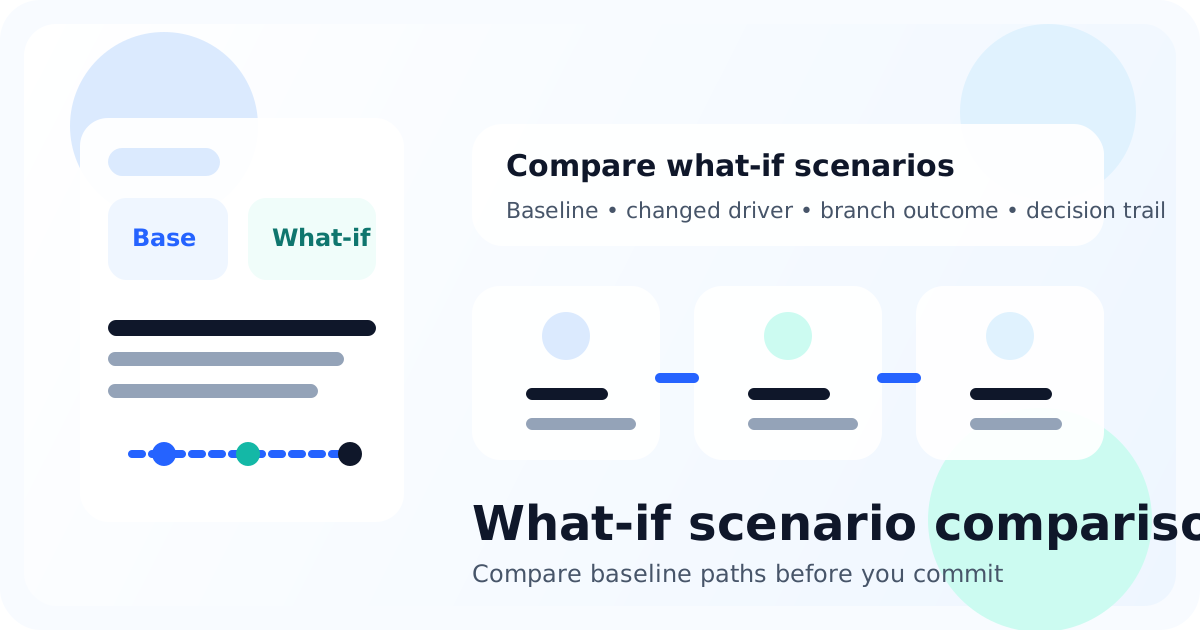
Illustration comparing baseline and what-if scenarios with changed drivers and outcome cards.

Quick answer

To compare what-if scenarios well, start with a clear baseline, define the few variables that could change the decision, create realistic alternative paths, run the comparison, and review which changed drivers mattered most. Nockora supports that with scenario creation, branching, run comparison, reports, and decision follow-through.

Why this matters

A lot of teams say they are doing what-if analysis when they are really brainstorming. Brainstorming is useful, but it does not preserve a baseline, control variables, or make comparison easy. The result is a pile of ideas with no clear sense of which difference actually changed the likely outcome.

What-if scenario analysis becomes more useful when it is treated like structured comparison work. Define the baseline, create alternatives that could change the call, and review the output in a way that helps the team choose. That is where scenario analysis stops being a workshop exercise and starts becoming part of decision operations.

TL;DR

  • A baseline scenario is the anchor that makes later comparison meaningful.
  • Good what-if analysis changes only the variables that could alter the decision; it does not create a large pile of weak hypotheticals.
  • Run comparison is most useful when the team can see changed drivers, tradeoffs, and branch effects side by side.
  • After the comparison, preserve the chosen path in a decision record instead of leaving the insight in a slide or meeting note.

What-if analysis is only useful when there is a real baseline

Comparison without an anchor is just commentary

The first question in what-if analysis is not what alternative to test. It is what the team currently believes will happen if nothing changes. That baseline matters because every other scenario is interpreted in relation to it. Without an anchor, the team cannot tell whether a new result represents a meaningful shift or simply a different story.

A good baseline names the current path, the decision context, and the result the team expects if it follows that path. In Nockora, that usually means anchoring the work in the project context, environment, and scenario setup before any branch or comparison happens.

Choose the variables that could actually change the decision

Not every difference deserves a scenario

Look for variables with decision weight

The most common mistake in what-if analysis is creating too many low-value scenarios. Teams change wording, sequence, timing, target audience, budget, and risk assumptions all at once, then cannot tell what mattered. A better approach is to choose the few variables that could plausibly change the final call.

  • Timing: launch now versus later.
  • Narrative: frame the move one way versus another.
  • Audience: prioritize one stakeholder group over another.
  • Commercial structure: baseline pricing versus a new bundle or packaging path.
  • Intervention: what changes if the team takes a different action after the first rounds of evidence appear.

Create scenarios the team would really consider shipping

Plausibility matters more than quantity

A useful what-if scenario is not an edge case invented for entertainment. It is an alternative the team might actually choose if the comparison changes its view. That standard keeps the work honest. If nobody would ship the scenario, the comparison may still be interesting but it is unlikely to improve the decision.

That is one reason Nockora's scenario and branching workflows are valuable. They keep the what-if path tied to a real baseline run rather than forcing the team to recreate everything from scratch. Comparison works better when the alternative is a disciplined branch, not a disconnected separate exercise.

Run the comparison and inspect the changed drivers

The best insight is not just better or worse

Changed drivers are more useful than broad sentiment

When teams compare scenarios, they often look first for a simple verdict: scenario A looks better than scenario B. That is useful, but it is not the whole value. The deeper question is what changed and why. Did confidence improve because the team changed timing, because the narrative landed differently, or because a specific stakeholder group reacted more positively?

Nockora's run comparison flow is useful here because it surfaces changed drivers, delta cards, and branch context rather than only raw summary text. That helps the team understand the mechanism behind the difference, which is exactly what a serious comparison should provide.

Know when to branch and when to create a separate scenario

Both tools matter, but they solve slightly different problems

Branching is helpful when the team already has a meaningful run and wants to intervene from a completed round. Separate scenario creation is helpful when the team needs to test a distinct path from the beginning with a different setup. Both are valid, but they answer different questions.

  • Use branching when the team wants to see what happens if it changes course after observing the baseline.
  • Use separate scenarios when the team needs a distinct launch path, pricing path, or framing path from the start.
  • Use run comparison when the goal is to see how the changed driver altered the likely outcome.

Turn scenario comparison into a real decision workflow

A comparison only matters if it changes how the team acts

Once the comparison is complete, the team still has to decide. That means naming which path it is taking, what tradeoffs it is accepting, and whether a forecast or review window should be attached to the move. Otherwise the comparison becomes interesting but disposable.

This is where the broader Nockora workflow helps. After scenario comparison, teams can move into reporting, forecasts, the decision ledger, actual outcome import, and calibration. That keeps what-if analysis tied to the decision instead of leaving it as a disconnected planning artifact.

Common mistakes in what-if scenario analysis

The comparison gets weaker when the variables are sloppy

  • Changing too many variables at once, which makes the result hard to interpret.
  • Building scenarios that nobody would actually choose, which weakens the decision value of the comparison.
  • Skipping a clear baseline and forcing the team to compare alternatives against memory instead of against an anchor.
  • Reviewing the output only for broad positivity or negativity instead of changed drivers and tradeoffs.
  • Failing to preserve the final choice in a decision record after the comparison is complete.

Most what-if analysis breaks because the team wants exploration and clarity at the same time but does not define the structure tightly enough to get both. The discipline is not restrictive. It is what makes the output interpretable. Once the team can clearly explain what changed and why it matters, the comparison starts doing real decision work.

How to know the comparison is good enough to act on

A scenario set should sharpen the decision, not delay it forever

A comparison is usually good enough when the team can answer three questions clearly. First, which path now looks strongest? Second, which variable or tradeoff drove that difference? Third, what residual uncertainty is still acceptable if the team chooses the stronger path? If those answers are visible, more scenarios may create more noise than value.

This is an important decision habit. Teams sometimes keep generating what-if scenarios because comparison feels safer than commitment. In reality, the job of scenario analysis is to reduce unexamined uncertainty to a level where the team can choose more responsibly, not to make uncertainty disappear.

Examples of what usually counts as a strong what-if comparison

Strong scenarios change a decision-relevant variable

Good what-if scenarios usually change something the team would genuinely debate in the room: release timing, target segment emphasis, narrative framing, intervention timing, or pricing structure. Weak scenarios tend to change surface details that are unlikely to alter the actual call. The stronger the decision relevance, the more useful the comparison becomes.

That is also why scenario comparison is different from generic brainstorming. The scenario should not just be imaginable. It should be plausible, comparable, and connected to a choice the team might really make. When those conditions are present, the output becomes easier to inspect and easier to act on.

Who should join the comparison review

What-if analysis improves when the right functions are in the room

The comparison should be reviewed by the people who can explain whether a changed driver really matters operationally. Depending on the decision, that may include product, growth, operations, finance, or leadership. The goal is not to turn the exercise into a large committee. It is to make sure the decision implications of the comparison are understood before commitment.

This is another reason disciplined scenario work matters. When the comparison is structured clearly, different functions can discuss the same baseline and alternatives without arguing about what changed. The workflow gives the room a shared object to reason about instead of a loose stack of hypotheticals.

When not to keep adding scenarios

More alternatives can eventually lower decision quality

There is a point where another scenario does not improve the decision. If the team already understands the strongest path, the main changed driver, and the acceptable residual uncertainty, more alternatives can start acting like avoidance rather than preparation. The discipline in scenario analysis is knowing when the comparison has become decision-ready.

That matters because what-if analysis is supposed to sharpen the call. Once it stops doing that, the team should preserve the choice, note the tradeoffs, and move into execution or review. Comparison is a tool for deciding, not a substitute for deciding.

Conclusion: compare scenarios to sharpen the call, not to create more noise

A smaller set of disciplined scenarios usually wins

What-if analysis is not about covering every possible future. It is about comparing the few alternatives that could change the decision. That makes the workflow inspectable, the tradeoffs clearer, and the next action more defensible.

If the comparison you need is centered on pricing, go to How to Test Pricing Changes Before Launch. If the alternatives are tied to a release path, continue with Product Launch Scenario Planning.

Frequently asked questions

What is what-if scenario analysis?

It is a structured way to compare a baseline path against realistic alternatives before the team commits to a decision.

How many what-if scenarios should a team create?

Usually only the few alternatives that could change the final decision. Too many weak scenarios make comparison harder without improving the outcome.

What is the difference between branching and a separate scenario?

Branching is useful when you want to change course from a completed run. A separate scenario is better when the team needs a distinct path from the beginning.

What should happen after scenario comparison?

The team should choose a path, note the tradeoffs it is accepting, and preserve the decision in a report, forecast, or decision record where appropriate.

Compare the baseline before the real world does it for you.

Nockora helps teams create scenarios, branch runs, compare changed drivers, and move the chosen path into the rest of the decision workflow.

Keep going with the next workflow step.

Illustration showing a decision workflow moving from evidence to scenarios, simulation, report, and calibration.
FoundationsSolution-aware / Informational
Decision SimulationApril 13, 202611 min readNockora Team

What Is Decision Simulation Software? A Practical Guide for Strategy Teams

Decision simulation software gives teams a structured way to test a high-stakes move before it reaches customers, stakeholders, or the market. The strongest products do more than generate an answer: they connect evidence, scenarios, stakeholder coverage, reports, and post-decision review in one workflow.

Focus: decision simulation software

Category guideScenario planningDecision operations
Read guide
Illustration showing launch planning with scenario cards, release timeline, and stakeholder reactions.
Before RolloutInformational / Problem-aware
Launch PlanningApril 13, 202610 min readNockora Team

Product Launch Scenario Planning: A Practical Framework for High-Stakes Releases

Most launch plans look orderly right up until the market sees them. Scenario planning gives the team a structured way to compare baseline and alternative launch paths, pressure-test reactions, and capture the final decision with more discipline than a checklist alone.

Focus: product launch scenario planning

Launch planningScenario designCross-functional review
Read guide
Illustration showing a decision record connected to forecast ranges, outcomes, and a calibration summary.
Decision OperationsInformational / Problem-aware
Decision ReviewApril 13, 202611 min readNockora Team

Decision Log vs Decision Ledger: How to Keep High-Stakes Decisions Reviewable

Teams do not usually lose decisions because no one talked about them. They lose them because the final call, the reasoning behind it, and the expected outcome end up scattered across meetings, reports, and private memory. A decision ledger fixes that by turning one-off judgment into a reviewable operating trail.

Focus: decision log

Decision loggingForecast reviewCalibration loop
Read guide